Crafting a Workstation
All three Workstations are crafted at a regular Workbench, themed to match the role they'll host:
🌾 Farming Workstation
Workbench · 3s
Wood Trunk×10Rock×10Onion×10Pumpkin×10Red Berries×100
🪓 Lumbering Workstation
Workbench · 3s
Wood Trunk×10Rock×10Fire Wood Trunk×10Crystal Wood Trunk×10Azure Wood Trunk×10
⛏️ Mining Workstation
Workbench · 3s
Wood Trunk×10Rock×10Ruby×1Diamond×1Emerald×1
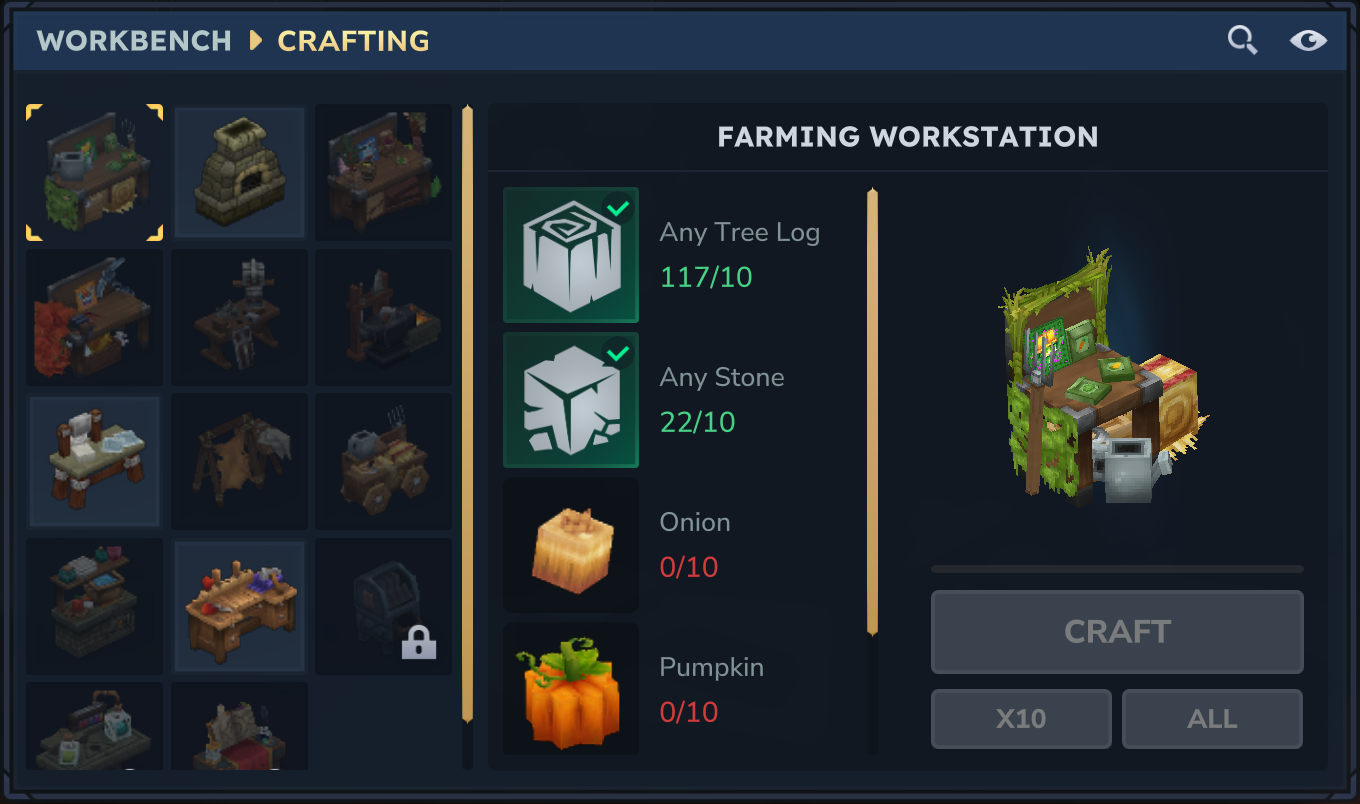

Place the Workstation, then open it — it has a card slot, a secondary input slot (seeds/saplings/ore, depending on role), and a fuel slot with 8 output slots.
Binding a Bud
Drop the matching Bud Card into the Workstation's card slot — the Bud spawns (or teleports in, if already active) directly at the station and switches into its Working state. Each Workstation only accepts the Bud whose role matches: Keyleth for Farming, Gronkh for Lumbering, Veri for Mining. Removing the card unbinds and despawns the Bud again.

Fuel & resting
A bound Bud needs fuel in the Workstation's fuel slot to keep working — each accepted food item covers FuelDurationSeconds (120s by default) of work. Out of fuel, or nothing left to do in the field, and the Bud switches to its Resting sub-state (idle pose, near or on the station) until fuel is added or new work appears.
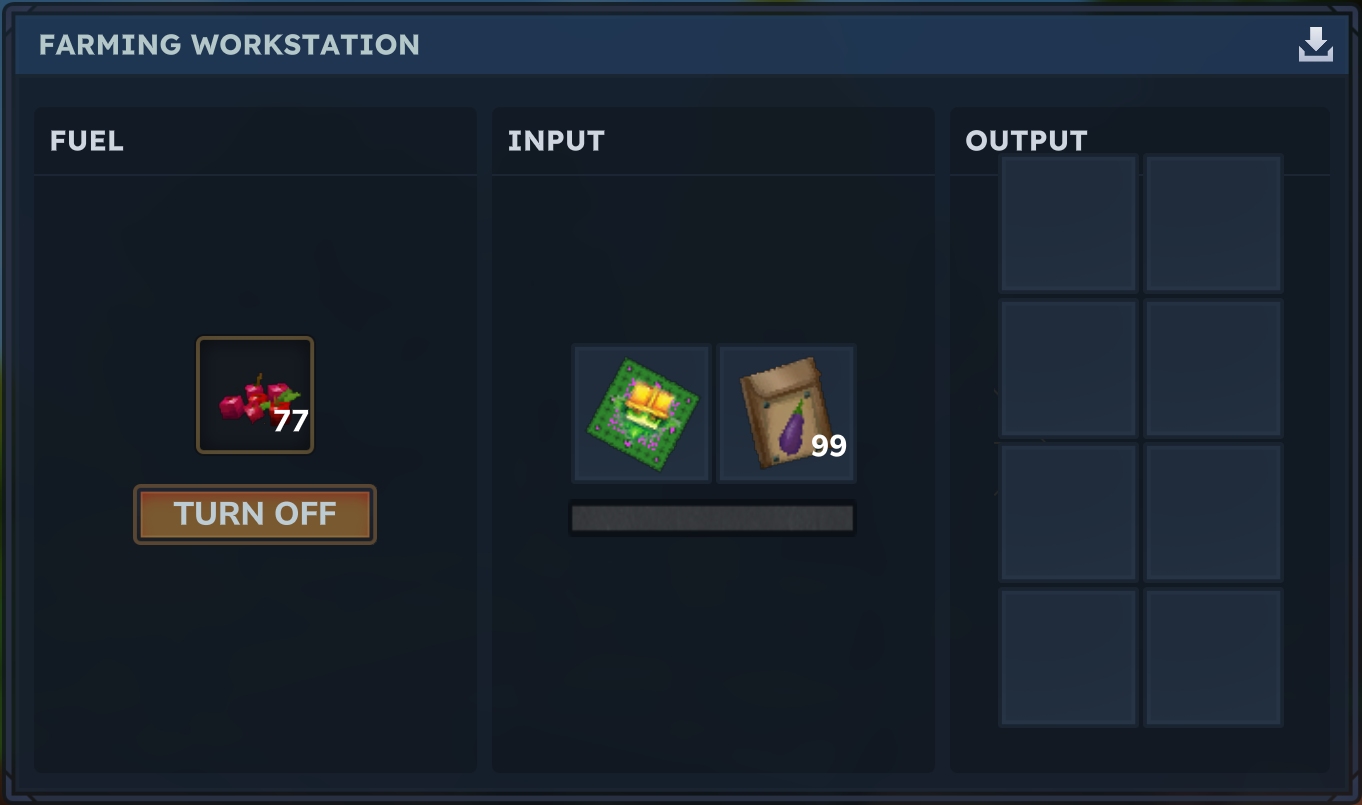
| Role | Accepted fuel |
|---|---|
| Farming | Plant_Fruit_Berries_Red |
| Lumbering | Food_Wildmeat_Cooked |
| Mining | Food_Fish_Grilled |
Edit allowedFuel in work/recipes.yml to change what each role accepts.
Farming — Keyleth
Scans the field for soil to till, plants an accepted seed if one sits in the input slot, waters and fertilizes tilled soil, and harvests ripe crops into the output slots.
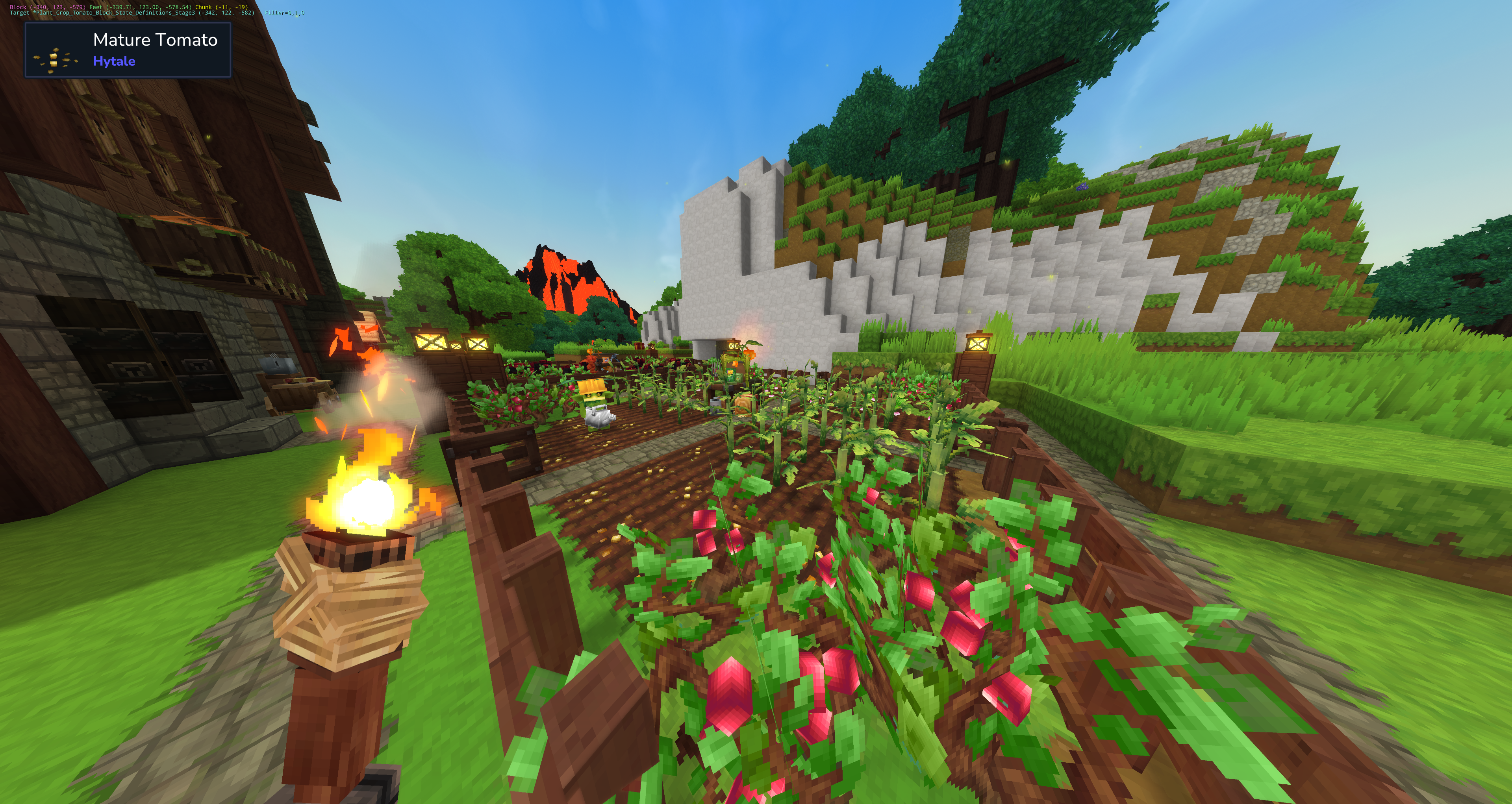
Accepted seeds (allowedSeeds: FARMING in work/recipes.yml): Aubergine, Carrot, Cauliflower, Chilli, Corn, Cotton, Lettuce, Onion, Potato, Pumpkin, Rice, Tomato, Turnip, Wheat — plus each crop's Eternal variant.
Lumbering — Gronkh
Prepares the soil under each tree spot with a shovel first (see Tree roots below), tills and plants a sapling if one sits in the input slot, and fells any full-grown tree in the field — drops (including Life Essence) go straight into the output slots, no loot to pick up off the ground.
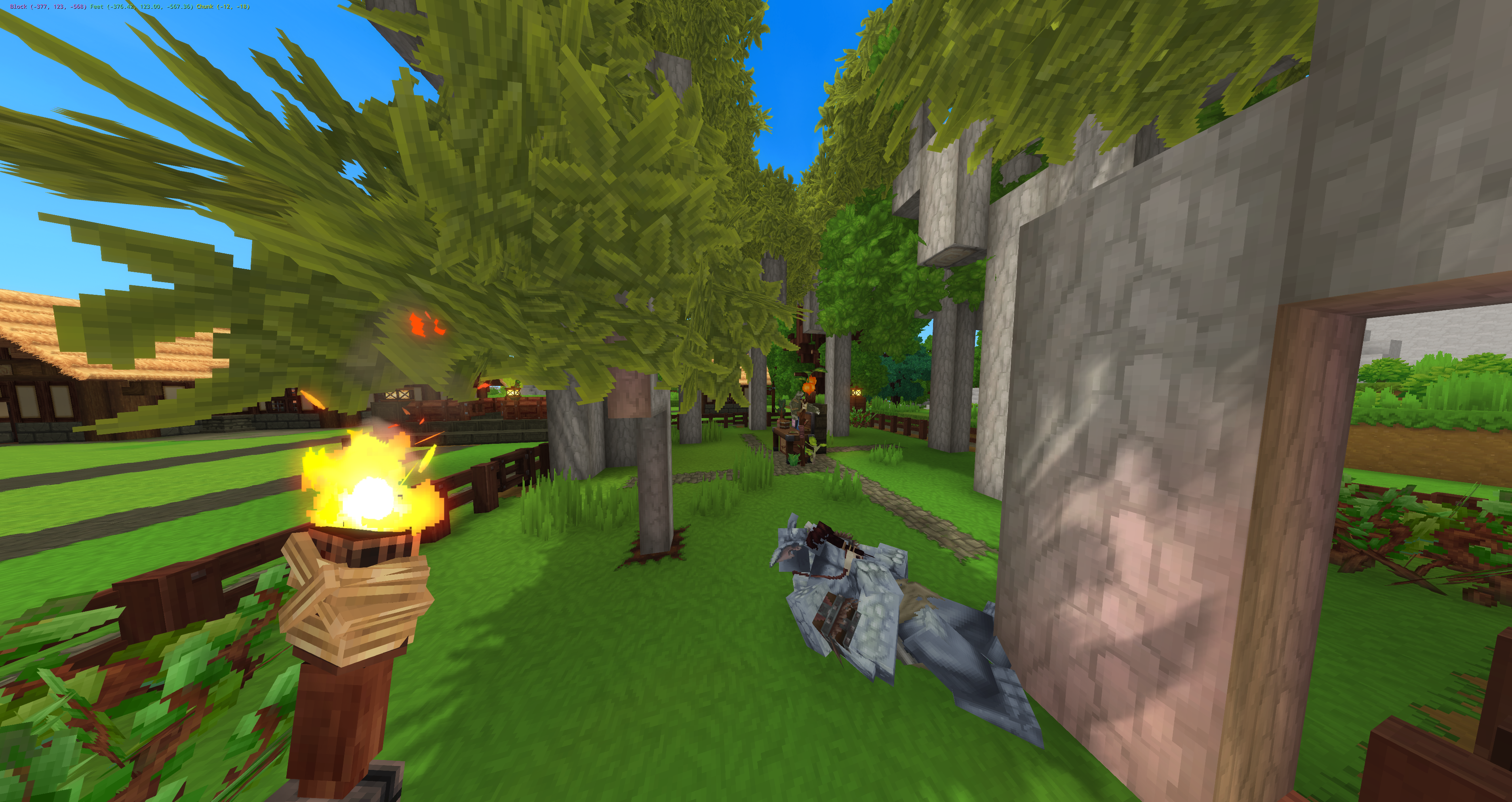
Accepted saplings (allowedSeeds: LUMBERING): Ash, Aspen, Azure, Bamboo, Beech, Birch, Bottletree, Cedar, Crystal, Dry, Fir, Fire, Frostwood, Gumboab, Jungle, Maple, Oak, Palm, Palo, Redwood, Sallow, Spiral, Willow. Both a seed bag (Plant_Seeds_<species>) and a raw crafted sapling (Plant_Sapling_<species>) work in the same slot — Gronkh plants either one identically.
Gronkh only fells a tree once it has reached its final growth stage. A tree stuck mid-growth (see Tree roots — usually a root-depth problem) is left alone entirely: it won't be felled early, and it won't be endlessly retried. Once it either finishes growing or you fix what's blocking it, felling picks it up on the next field scan.
Felling only ever removes the one tree assigned to its own planting spot, never a neighboring tree even if their canopies overlap on a LARGE field, and never a wood-built construction (fence, planks, beam, wall, roof) standing nearby — only actual tree parts (trunk, branches, roots) are recognized as "tree".
Whenever there's nothing else to do, Gronkh decorates the field with Plant_Grass_Sharp and Plant_Grass_Sharp_Tall tufts on empty ground between the tree spots, one tile at a time — short grass first, up to the field radius, then tall grass up to the same count. It never touches a tree's own planting spot, so it can't interfere with growth.
Mining — Veri
Digs holes scattered across the field that grow into minable stone over time, and works the field's ore-bearing main nodes for a steady, renewable ore yield.
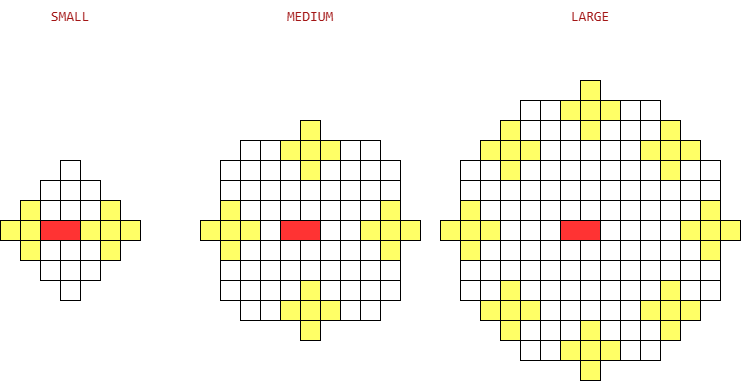
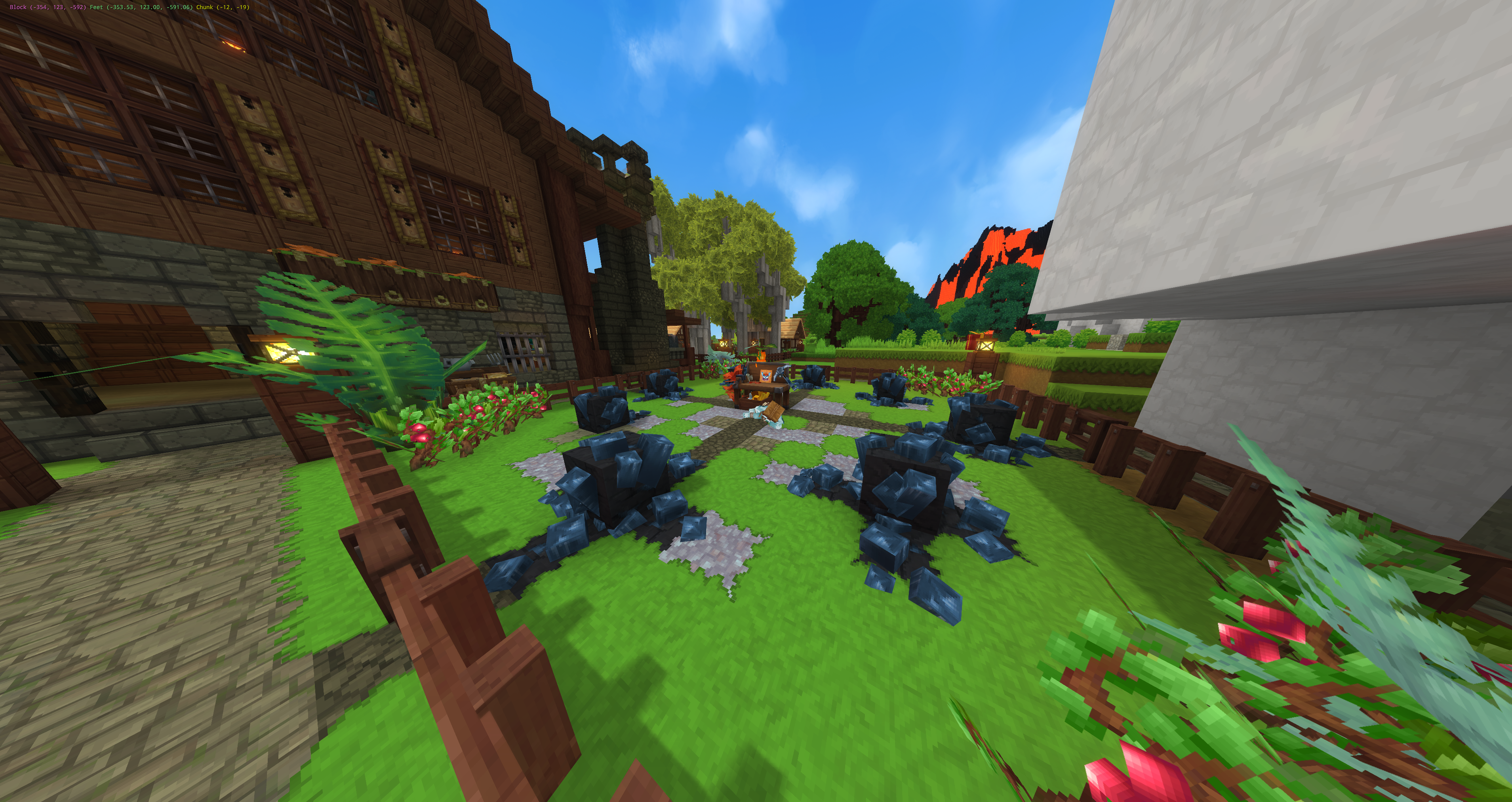
Accepted ore (allowedSeeds: MINING): Adamantite, Cobalt, Copper, Gold, Iron, Mithril, Onyxium, Prisma, Silver, Thorium.
Dug-out holes refill with Soil_Calcite_Gravel (digRefillBlock in work/recipes.yml) instead of dirt, so a well-worked Mining field gradually turns into a gravel quarry. It stays diggable too — gravel is on the diggableBlocks list, so Veri keeps reusing already-refilled ground for new holes instead of running out of field.
Field size
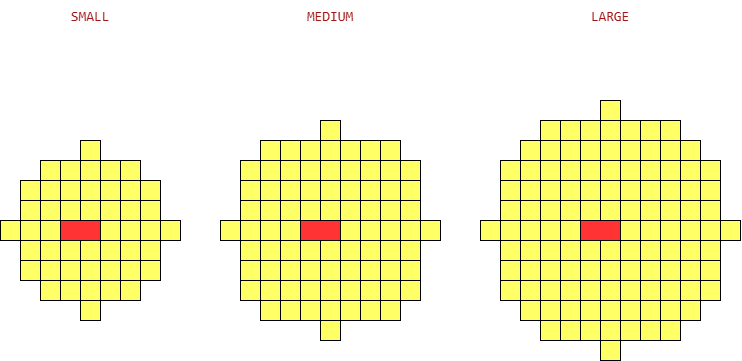
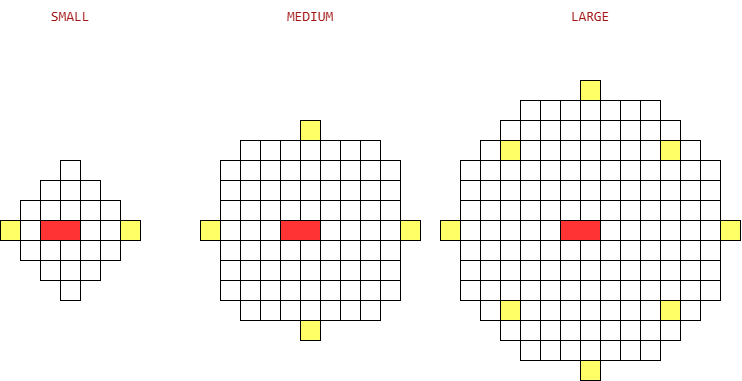
Set independently per role via FarmingFieldSize / LumberingFieldSize / MiningFieldSize (SMALL, MEDIUM, LARGE).
| Size | Farming radius | Lumbering radius / spots | Mining radius / nodes |
|---|---|---|---|
| SMALL | 4 | 3 / 2 | 3 / 2 |
| MEDIUM (default) | 5 | 5 / 4 | 5 / 4 |
| LARGE | 6 | 7 / 8 | 7 / 8 |
The Mining radius number does double duty: besides sizing the field, it caps how many random stone dig sites (the ones scattered across the field, as opposed to the fixed ore nodes) Veri keeps open at once — 3 on SMALL, 5 on MEDIUM, 7 on LARGE. Once that many are open and still growing, Veri holds off digging new ones until one is mined and cleared.
On SMALL, both roles only get 2 spots, laid out across whichever way the Workstation is facing — turn the station north/south and the two tree spots or ore nodes sit east/west of it, turn it east/west and they sit north/south. MEDIUM and LARGE aren't affected: their 4- and 8-spot layouts are symmetric in every direction.
Tree roots
Hytale's tree prefabs don't only grow upward — from the third growth stage on they also place root blocks below the sapling, and the engine only accepts a growth stage if every block it needs is either air or soil. Hit stone under a sapling and the placement is rejected silently: the growth timer keeps running, the tree never visibly changes, and once the timer finishes the block entity is deleted — the tree is then frozen forever, waiting doesn't help.
That's why Gronkh performs a soil-preparation step with a shovel before tilling: at each tree spot he turns every non-soil, non-air block into Soil_Dirt, both at the surface and TreeRootDepth blocks down, across a TreeRootRadius column. Already-soil blocks are left alone, and a spot with something already planted on it is skipped, so a growing tree's own roots are never dug back up.
The defaults (depth 4, radius 1) cover the common trees. Species with deeper roots need larger values, or they'll stall exactly as described above:
| Tree | Required TreeRootDepth | Required TreeRootRadius |
|---|---|---|
| Oak, Poisoned | 3 | 1 |
| Redwood | 1 | 2 |
| Cedar (burnt variant) | 4 | 3 |
| Fir | 6 | 4 |
| Fir (snow variant) | 8 | 4 |
| Wisteria | 9 | 10 |
| All other species | no roots at all | |
(2 × radius + 1)² × depth blocks per tree spot. The defaults clear 36 blocks; Fir's 6/4 clears 486; Wisteria's 9/10 clears 3969. If you only plant Oak, leave the defaults alone — the cheaper alternative to a large radius is restricting allowedSeeds: LUMBERING in work/recipes.yml to species your setting actually covers.
Why only Gronkh's trees grow faster
treeGrowthStageSeconds (below) only speeds up saplings Gronkh himself planted — never a tree you plant by hand, and never one that grew from world generation. That's not a filter on top of the timer; it's a separate, plugin-only sapling block for each of the 23 species Gronkh can plant (e.g. Plant_Sapling_Oak_Bud alongside vanilla's Plant_Sapling_Oak), visually and structurally identical to the vanilla one — same model, same growth prefabs, same final tree. Only the plugin's own duplicate carries the sped-up timer; Gronkh plants that one, everyone and everything else still plants and grows the untouched vanilla sapling. You can't obtain or plant the _Bud variant yourself — it has no crafting recipe, it only ever gets placed by a Workstation's own PLANT step.
Work Configuration reference
Every setting below lives in Work.json in the mod's server folder.
| Setting | Description | Default |
|---|---|---|
FarmingFieldSize | Field size of a Farming Workstation. | MEDIUM |
LumberingFieldSize | Field size of a Lumbering Workstation. | MEDIUM |
MiningFieldSize | Field size of a Mining Workstation. | MEDIUM |
FieldMaxHeight | Maximum vertical distance (blocks) from the Workstation a tillable block may be at. | 3 |
TargetTimeoutSeconds | How long a working Bud may take to reach/till its currently assigned block before the Workstation gives up on it and picks another. | 8 |
PrepareSoilIntervalSeconds | Pacing: how long a Lumbering Bud waits after loosening one tree spot before the Workstation releases the next one. | 1 |
TillIntervalSeconds | Pacing: how long a working Bud waits after tilling a block before the Workstation releases the next one. | 1 |
PlantIntervalSeconds | Pacing: how long a working Bud waits after planting a seed before the Workstation releases the next one. | 1 |
WaterIntervalSeconds | Pacing: how long a working Bud waits after watering soil before the Workstation releases the next one. | 1 |
WaterDurationSeconds | How long one watering keeps tilled soil watered — matches the native watering can's own duration, so a Bud waters no more/less often than a player would. | 86400 |
FertilizeIntervalSeconds | Pacing: how long a working Bud waits after fertilizing soil before the Workstation releases the next one. | 1 |
HarvestIntervalSeconds | Pacing: how long a working Bud waits after harvesting a ripe crop before the Workstation releases the next one. | 1 |
FellIntervalSeconds | Pacing: how long a working Bud waits after felling a tree before the Workstation releases the next one. | 1 |
DigIntervalSeconds | Pacing: how long a Mining Bud waits after digging a hole before the Workstation releases the next one. | 1 |
MineIntervalSeconds | Pacing: how long a Mining Bud waits after mining a grown stone before the Workstation releases the next one. | 1 |
IdleRetrySeconds | How long a working Bud waits before re-scanning the field when no work was found. | 5 |
TreeMinDistance | Minimum distance (blocks) enforced between trees a Lumbering Bud plants. | 3 |
TreeRootDepth | See Tree roots above. | 4 |
TreeRootRadius | See Tree roots above. | 1 |
OreMinDistance | Minimum horizontal distance (blocks) a Mining Bud keeps between its dig sites, so holes stay spread across the field. | 2 |
MiningGrowthGameSecondsMin | Lower bound of the game-time seconds a dug hole takes to grow its stone. Game time stands still while the server is down. The game clock runs at 30× real time by default (86400 / (DaytimeDurationSeconds + NighttimeDurationSeconds)), so 28800 is roughly 16 real minutes. | 28800 |
MiningGrowthGameSecondsMax | Upper bound of the same span; each hole rolls its own duration so dig sites don't all mature in lockstep. | 30600 |
FuelDurationSeconds | How long one unit of fuel keeps a bound Bud working. | 600 |
RebindRetrySeconds | Retry interval for re-binding a Bud to its Workstation after the owner wasn't online at load time. | 10 |
work/recipes.yml holds the item-level side of things — allowedSeeds / allowedFuel per role, tillable/diggable block lists, and treeGrowthStageSeconds (game-seconds per sapling growth stage; {default: 10000} ships out of the box). Both files follow the same copy-on-first-start convention as everything else in the mod: the packaged default is only written if the file is missing, so your edits are never overwritten.